Key Considerations for Installing a Sliding Automatic Door Unit


When undertaking the installation of a sliding automatic door unit, it is essential to pay heed to the following crucial aspects:


1. Preparatory Steps Before Installation

-Accurate Site Measurement:

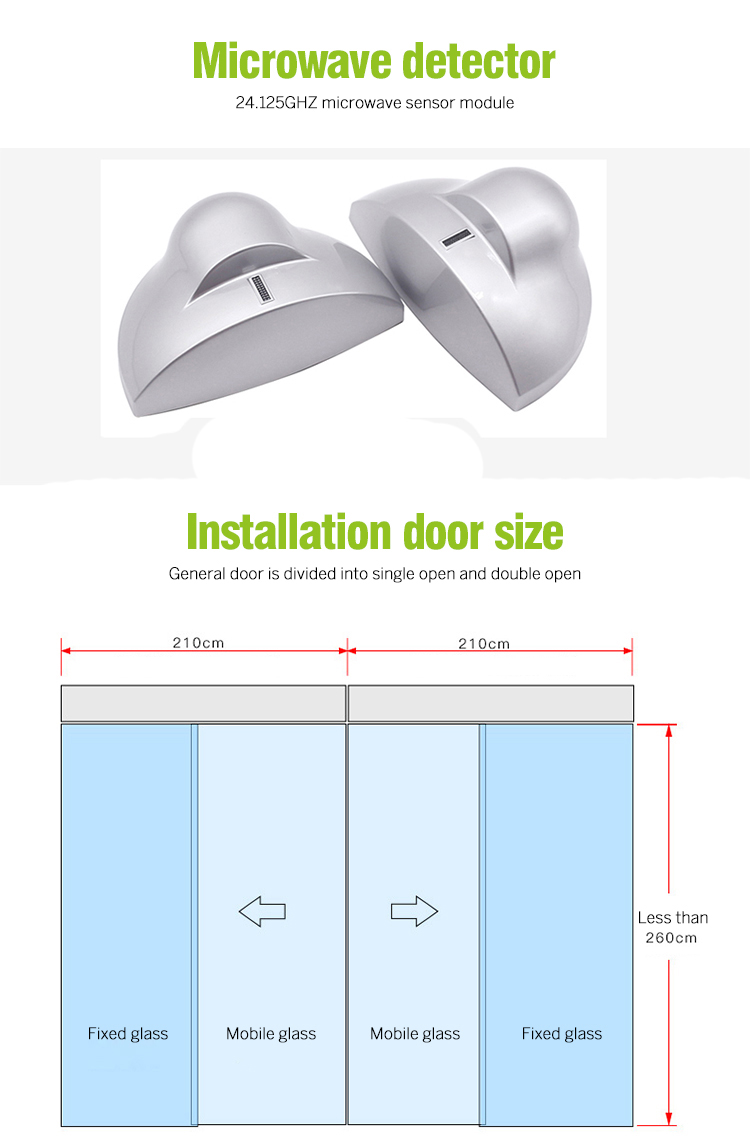
    - Meticulously gauge the dimensions of the doorway opening. The width and height must be measured with the utmost precision to guarantee a seamless fit of the sliding automatic door unit. Adequate clearance around the door is vital to enable smooth gliding. Typically, a clearance of approximately 5 - 10 mm on each side and at the top is regarded as appropriate. This allows the door to move without any hindrance and ensures proper alignment.

    - Examine the levelness of the floor and the verticality of the sidewalls. An uneven floor can lead to erratic sliding or even cause the door to become stuck. The permissible deviation in floor flatness is usually within a few millimeters. Any significant irregularities need to be rectified prior to installation to prevent operational issues.

- **Tool Readiness**:

    - Assemble essential tools like a drill, screwdriver, level, tape measure, and wrench. These tools are the backbone of the installation process. For instance, a drill is indispensable for creating holes for screw fastening, while a level is crucial for ascertaining the correct alignment and position of the door rail.

    - Procure the requisite installation accessories, such as screws, bolts, and door rollers. Ensure that these accessories are compatible with the specific model and quality standards of the door unit. Using incorrect or substandard accessories can compromise the integrity and performance of the installation.

- **Installation Manual Review**:

    - Various sliding automatic door units have distinct installation prerequisites and procedures. Thoroughly peruse the installation manual furnished by the manufacturer. This will provide insights into details like the proper sequence for assembling components, methods for making adjustments, and essential safety precautions. Adhering to the manual's guidelines is key to a successful and safe installation.

gate automation systems


**2. Door Rail Installation**

- **Precise Positioning**:

    - The door rail must be installed in a perfectly horizontal and parallel manner to the floor. Employ a level to confirm that there is no inclination in either the left - right or front - back directions. If the rail is misaligned, the door will tend to veer to one side during operation, leading to potential damage and inefficient use.

    - The height of the rail from the floor should align with the design specifications of the door unit. Generally, it is situated around 10 - 15 cm above the floor, providing ample space for the smooth operation of the door rollers. This height is optimized to ensure stability and ease of movement.

- **Secure Fixing**:

    - Utilize appropriate screws or bolts to affix the door rail to the upper portion of the doorway. Ensure that the screws are tightened firmly but with caution to avoid over - tightening, which could potentially damage the rail or the surrounding structure. It is advisable to pre - drill pilot holes, especially when dealing with wood or other materials that are prone to splitting or cracking. This precautionary step helps maintain the integrity of the installation surface.


**3. Door Panel Installation**

- **Door Roller Installation**:

    - Attach the door rollers to the top of the door panel as per the manufacturer's instructions. The rollers should be installed symmetrically and possess smooth rotational capabilities. Verify that the rollers can glide freely along the door rail without any obstructions or tightness. This is crucial for the seamless operation of the door panel.

    - Some advanced door rollers feature adjustable mechanisms. You can tweak the height and position of the rollers to achieve the optimal fit and ensure the smoothest possible sliding of the door panel. This adjustability allows for fine - tuning to account for any minor discrepancies in the installation or the characteristics of the doorway.

- **Panel Mounting**:

    - Lift the door panel with the pre - installed rollers and carefully place it onto the door rail. Ensure that the door panel is centered precisely on the rail and can slide back and forth without any impediments. Check the alignment of the door panel with the doorway. The gaps between the door panel and the sidewalls as well as the floor should be uniform. This uniformity not only enhances the aesthetic appeal but also contributes to the proper functioning of the door.


**4. Automatic Door Opener Installation**

- **Optimal Mounting Location**:

    - The automatic door opener is commonly installed on the side wall or above the door. The specific position should be determined based on the type of opener and the overall design of the door unit. It is imperative to ensure that the opener has an unobstructed line o


Author: Written by Ms.Anna Zhang from S4A INDUSTRIAL CO., LIMITED


S4A INDUSTRIAL CO., LIMITED

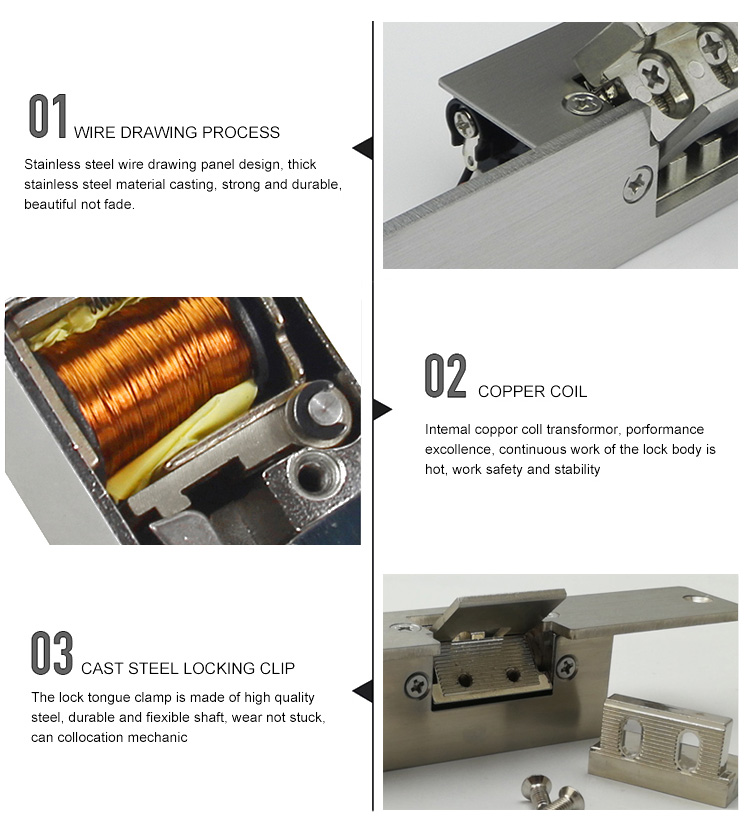
Electric strike locks are quite versatile and can be used with a variety of door types:


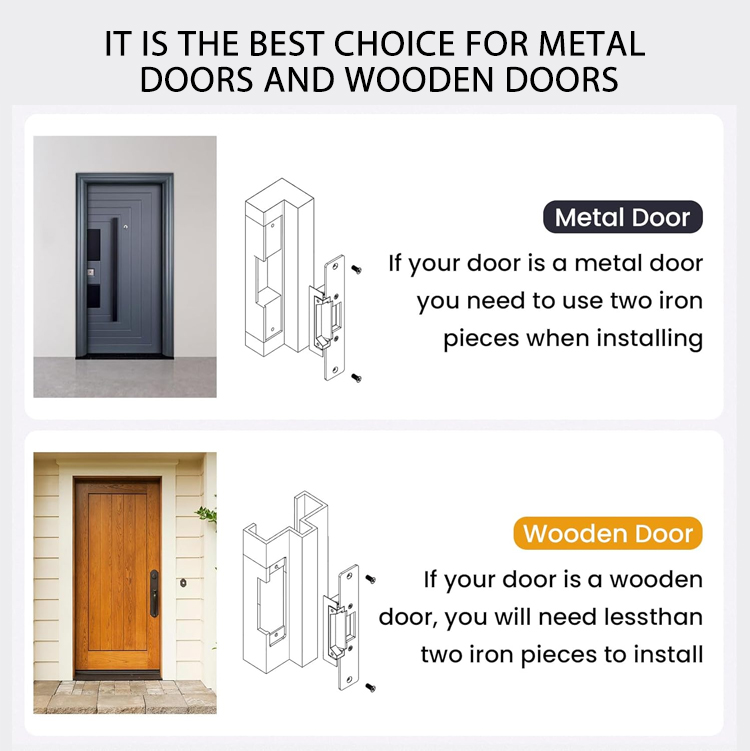
Wooden Doors

Solid Wood Doors: These are a common choice for interior applications such as in offices, homes, and some commercial settings. Electric strike locks can be easily installed on solid wood doors. The density of the wood provides a stable base for the installation of the strike plate and the associated hardware. However, it's important to ensure that the screws used for installation are of an appropriate length to penetrate the wood without splitting it. For example, in a high - end office with solid wood interior doors, an electric strike lock can be installed to provide access control to restricted areas such as server rooms or executive offices.

Hollow - Core Wood Doors: These doors are lighter and less expensive than solid wood doors and are often used in less - secure interior applications like closets or some non - critical office partitions. While they can be used with Electromagnetic strike lock, additional reinforcement may be needed. This is because the hollow - core structure may not provide sufficient strength to support the repeated use of the lock. For instance, if an electric strike lock is installed on a hollow - core door in a hotel room, it might be necessary to insert a wooden or metal reinforcement plate inside the door to prevent the door from warping or the strike from loosening over time.


Electric strike locks


Metal Doors

Steel Doors: Commonly used in industrial, commercial, and high - security settings such as banks, data centers, and warehouses. Electric strike locks work well with steel doors due to the door's strength and durability. The installation process usually involves drilling precise holes in the steel frame and door to mount the strike and other components. The metal - to - metal contact between the strike and the latch provides a secure connection. In a bank vault, for example, an electric strike lock installed on a steel door can be integrated with an advanced access control system to ensure only authorized personnel can enter.

Aluminum Doors: These are popular for their lightweight and corrosion - resistant properties. They are often used in modern commercial buildings, especially for exterior storefronts and some interior applications. Electric strike locks can be installed on aluminum doors, but special care must be taken to avoid corrosion between the different metals (the lock's components and the aluminum door). This may involve using anti - corrosion coatings or gaskets to prevent electrolytic reactions that could damage the door or the lock.


Glass Doors

Framed Glass Doors: These doors have a metal or wood frame that surrounds the glass panel. Fail-safe electric strike lock can be installed on the frame, similar to how they are installed on regular wooden or metal doors. The lock's strike plate is attached to the frame, and the latch on the door engages with it. In a retail store with glass - framed entrance doors, an electric strike lock can be used to control access during business hours and secure the store after hours.

Frameless Glass Doors: Installing electric strike locks on frameless glass doors is more challenging but still possible. Special clamps or brackets are often used to attach the lock components to the glass. These types of doors are commonly found in high - end commercial buildings and luxury residences. The installation of a Fail-safe electric strike lock on a frameless glass door requires precise engineering to ensure the door's aesthetics are not compromised while maintaining security. For example, in a high - rise office building's glass - walled conference rooms, frameless glass doors with electric strike locks can provide a seamless and secure access solution.


Author: Written by Ms.Anna Zhang from S4A INDUSTRIAL CO., LIMITED

S4A

A 12V electric strike lock can generally be integrated with an existing access control system, but several factors need to be considered:


Compatibility of Voltage and Signal

Power Supply Compatibility: Most access control systems are designed to work with a range of voltages. A 12V electric strike lock is a common voltage specification. If the access control system has a 12V power output option or can be adjusted to provide 12V output for the lock, then the power supply aspect of integration is possible. Some access control systems have built - in power supplies that can support multiple devices, including 12V electric strike locks.

Signal Compatibility: The access control system sends an activation signal to the electric strike lock when access is granted. This signal is usually in the form of a digital signal (e.g., a relay closure). The electric strike lock needs to be able to recognize and respond to this signal. Most modern 12V electric strike locks are designed to work with standard access control signals such as a momentary or latching signal. The access control system's output configuration (such as the duration and type of signal) needs to match the requirements of the electric strike lock. For example, if the electric strike lock requires a 1 - second momentary 12V signal to activate, the access control system should be able to provide such a signal.


12V electric strike lock


Wiring and Connectivity

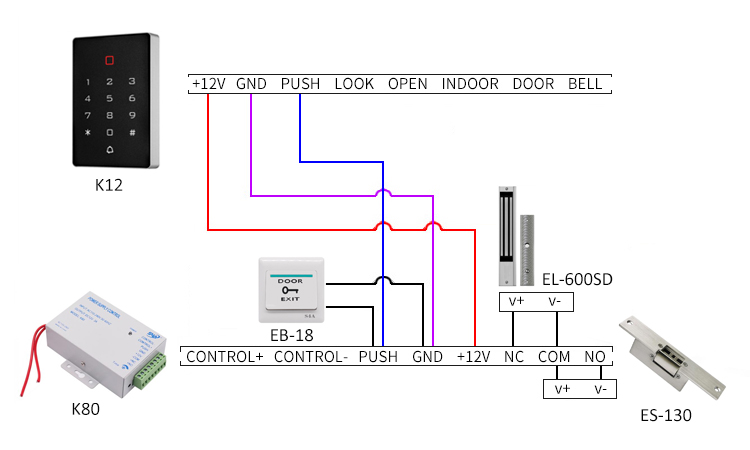
Wiring Requirements: Integrating a 12V electric strike lock into an existing access control system requires proper wiring. The lock usually has two or more wires - a power wire (positive) and a ground wire (negative), and sometimes an additional wire for signal feedback or other functions. The wiring needs to be run from the access control system's output terminals to the corresponding terminals of the electric strike lock. This may involve running wires through conduits or along the edges of walls and door frames. It's important to follow electrical safety codes and ensure that the wires are not exposed or at risk of damage.

Connector Compatibility: The connectors on the electric strike lock and the access control system need to be compatible. If they are not, adapter connectors may be needed. Some systems use screw - type terminals, while others may use plug - and - play connectors. Ensuring a proper physical connection is essential for the reliable operation of the integrated system.


System Configuration and Programming

Access Control Software/Hardware Configuration: The existing access control system may need to be configured to recognize and manage the new 12V electric strike lock. This could involve setting up user access rights, access schedules, and other parameters specific to the lock's location. For example, if the electric strike lock is installed on an exterior door, the access control system may need to be programmed to allow access only during business hours or to specific user groups.

Testing and Troubleshooting: After the initial integration, thorough testing is essential. This includes testing different access methods (such as using access cards, keypads, or biometric devices) to ensure that the 12V electric strike lock functions correctly. If there are any issues, such as the lock not activating or false activations, troubleshooting steps such as checking the wiring, signal strength, and system configurations need to be carried out.


Author: Written by Ms.Anna Zhang from S4A INDUSTRIAL CO., LIMITED


S4A

Most TTLock Apartment Access Control Systems can be remotely controlled through the mobile app. The requirements and steps are as follows:


Requirements

  1. Hardware: You need to have a TTLock-compatible smart lock installed on the apartment door.

  2. Software: Install the TTLock mobile app on your smartphone, which is available for both iOS and Android systems.

  3. Network: The smart lock needs to be connected to the network, either through a Wi-Fi gateway or other network connection methods supported by the lock. Some locks may also support Bluetooth connection for local control and need to be paired with your phone via Bluetooth.


TTLock Apartment Access Control


Steps

1. Register and Log In: Download and install the TTLock app from the App Store or Google Play. Open the app and register an account if you don't have one already. Log in to your account using your registered phone number or email and password.

2. Add the Lock: Stand next to the TTLock smart lock on the apartment door and make sure your phone's Bluetooth is turned on. In the app, select "Add Lock" or a similar option and follow the on-screen prompts to complete the lock addition process. This usually involves the app searching for nearby Bluetooth devices and identifying the lock.

3. Connect to the Network: If your lock supports Wi-Fi and requires network connection for remote control, you need to configure the lock to connect to your home Wi-Fi network. The specific steps may vary depending on the lock model, but generally, you will need to enter your Wi-Fi network name and password in the lock's settings through the app.

4. Enable Remote Control: In the app, find the settings or options related to the specific lock you added. Look for an option like "Remote Control" or "Enable Remote Access" and toggle it on. Some locks may require additional verification or activation steps, such as entering a verification code sent to your phone or email.

5. Remote Operation: Once the remote control is enabled, you can open the app from anywhere and select the corresponding apartment lock. You can then choose to lock or unlock the door remotely, set temporary access codes for guests or service personnel, view access logs to see who has accessed the lock and when, and manage other lock-related settings.


Author: Written by Ms.Anna Zhang from S4A INDUSTRIAL CO., LIMITED
S4A

You can use the TTLock standalone access control without an internet connection. The available functions are as follows:


TTLock standalone access control


Unlocking Functions

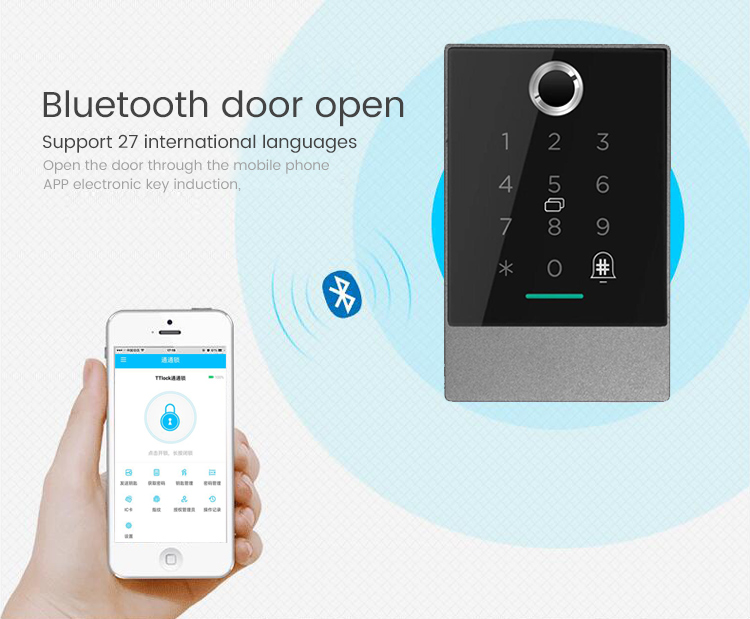
  1. Bluetooth Unlocking: As long as your mobile phone is within the Bluetooth connection range of the lock, you can use the TTLock app on your phone to unlock the door through Bluetooth.

  2. Fingerprint Unlocking: If your TTLock device has a fingerprint recognition function and you have registered your fingerprint in advance, you can directly use your fingerprint to unlock the door without relying on the internet.

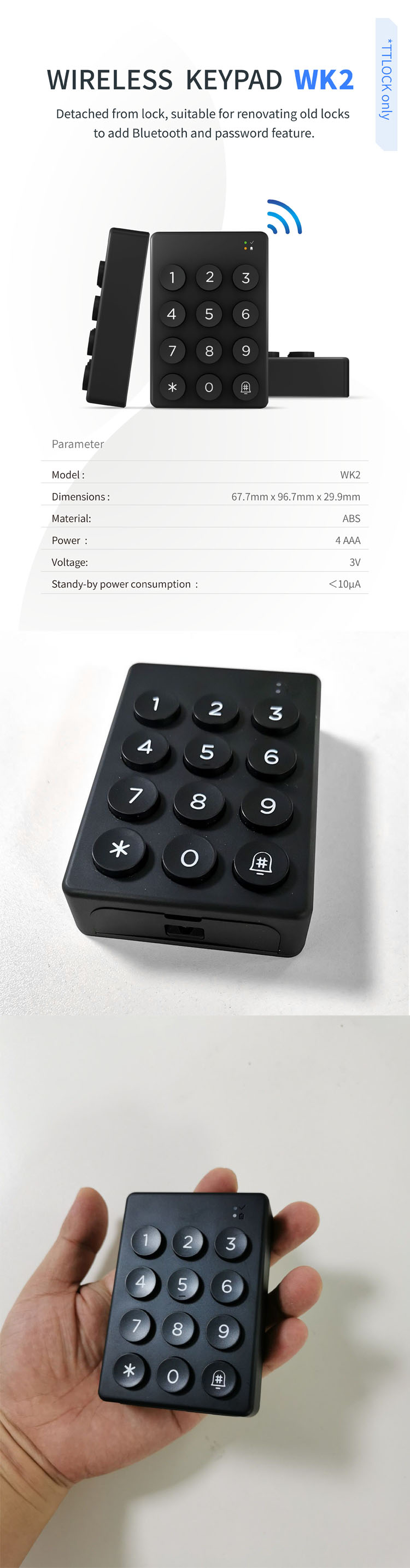
  3. Password Unlocking: You can set a password in the TTLock app in advance. When needed, enter the correct password on the lock's keypad to unlock the door. This process does not require an internet connection.

  4. IC Card Unlocking: Some TTLock systems support IC card unlocking. You can use the registered IC card to unlock the door by swiping the card near the card reader of the lock, and this function can also be used offline.

  5. Mechanical Key Unlocking: TTLock smart locks usually come with mechanical keys as a backup. In case of emergencies or when other unlocking methods fail, you can use the mechanical key to unlock the door directly, without the need for an internet connection.


Basic Management Functions

  1. User Management: You can add, delete, or modify user information and access permissions through the TTLock app when the phone is connected to the lock via Bluetooth. For example, you can set different unlocking methods and access time periods for family members, friends, or tenants.

  2. Lock Settings: You can set some basic parameters of the lock through the app, such as auto-lock time, alarm volume, and password length. These settings only need to be configured once and can be saved in the lock's local memory, and do not require an internet connection for subsequent use.


Author: Written by Ms.Anna Zhang from S4A INDUSTRIAL CO., LIMITED


S4A

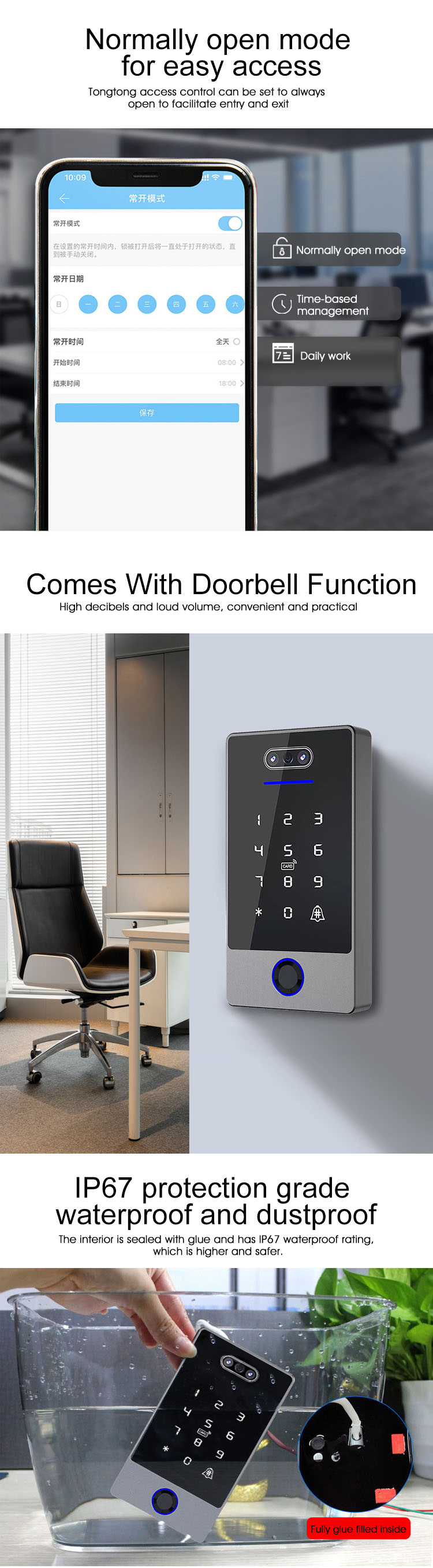
Most electric strike locks can be programmed with multiple access levels, including different user access and time-based access, when used in conjunction with an appropriate access control system. 

Here are the specific cases:


Different User Access Levels

Card and Password Systems: In S4A access control system with card readers and password keypads, each user can be assigned a unique access card or password. The system administrator can program the electric strike lock to recognize specific cards or passwords and grant different levels of access. For example, regular employees may have access only during business hours and to specific areas, while managers may have 24/7 access to all areas. The access control system stores the user information and access rights in a database, and when a user presents their card or enters the password, the system verifies the credentials and sends the appropriate signal to the electric strike lock to allow or deny access.

Biometric Systems: Biometric access control systems, such as fingerprint or facial recognition scanners, can also be integrated with electric strike locks to provide different user access levels. Each user's biometric data is enrolled in the system, and the administrator can set up specific access rights for each individual. For instance, some employees may only be able to enter the building through the main entrance, while security personnel may have access to all entrances and restricted areas. When a user attempts to access, the biometric scanner captures and verifies their biometric data, and if the authentication is successful and the user has the appropriate access rights, the electric strike lock is activated to grant access.


electric strike locks


Time-Based Access

Scheduled Access: The S4A access control system ACB-001 ACB-002 ACB-004 can be programmed to allow access to the electric strike lock only during specific time periods. For example, in an office building, the main entrance lock can be set to allow employees to enter between 8:00 am and 6:00 pm on weekdays. Outside of these hours, the lock remains locked and access is denied. This is useful for restricting unauthorized entry during non-business hours and enhancing security. The system administrator can easily configure the access schedules through the access control software, and the electric strike lock will operate according to the programmed schedule.

Temporary Access: In some cases, it may be necessary to grant temporary access to a particular user or group of users. For example, a contractor may need access to a building for a specific project for a limited period. The S4A access control system can be configured to issue a temporary access credential, such as a time-limited access card or a one-time password, which will only work during the specified time period. The electric strike lock will recognize and respond to these temporary credentials, allowing the contractor to enter the building only during the authorized time.


Author: Written by Ms.Anna Zhang from S4A INDUSTRIAL CO., LIMITED

S4A

The TTLock Card Access Control system is compatible with a variety of lock types, including electric dead bolts, mortise locks, and padlocks.

  1. Electric Dead Bolts: Many smart lock manufacturers integrate TTLock technology into their electric dead bolt products. These locks usually have an electronic control module that can communicate with the TTLock system, enabling the use of cards for access control.

  2. Mortise Locks: Some mortise locks can also be made compatible with TTLock Card Access Control. This requires the mortise lock to have additional electronic components or modifications to support the card reading and communication functions with the TTLock system.

  3. Padlocks: There are padlocks on the market that support TTLock Card Access Control. These padlocks are often designed for specific applications where the convenience of card access is needed, such as in some shared facilities or rental properties.


TTLock Card Access Control


S4A factory has produced fingerprint lock with TTlock APP,Such as:iLock-01,iLock-02 etc

All fingerprint locks can be matched with different sizes of lock cylinders according to customer requirements.


Author: Written by Ms.Anna Zhang from S4A INDUSTRIAL CO., LIMITED

S4A

1. Some Electric Strike Locks Have Backup Battery Options

  1. Many modern and more advanced electric strike locks are designed to have backup battery systems. These backup batteries are crucial in maintaining security and access control during power outages. For example, in commercial buildings such as offices, hospitals, and data centers, where continuous access control is essential, the backup battery can ensure that the electric strike lock continues to function as expected.

  2. The backup battery is usually integrated into the access control system that the electric strike lock is a part of. When the main power supply fails, the system automatically switches to the backup battery power. This allows the lock to either remain locked (in a fail - secure configuration) or be unlocked for a certain period to allow for emergency egress (in a fail - safe configuration).


Electric Strike Locks


2. Battery Capacity and Duration

  1. The capacity of the backup battery varies depending on the specific lock and access control system. It's typically measured in amp - hours (Ah). A common backup battery capacity might range from 1.2Ah to 7Ah or more. The duration that the battery can power the electric strike lock depends on factors such as the battery capacity, the power consumption of the lock, and the number of times the lock is activated during the power outage.

  2. For example, a lock with a 1.2Ah backup battery and a relatively low power - consuming design might be able to maintain its function for several hours to a day, depending on usage. In contrast, a more power - hungry lock with a larger battery might still only last a few hours if there is frequent access activity.

3. Installation and Maintenance of Backup Batteries

  1. The installation of the backup battery usually involves connecting it to the power supply unit of the access control system. It's important to follow the manufacturer's instructions carefully to ensure proper installation and connection. Some systems have built - in battery compartments with clear wiring diagrams, while others may require more complex wiring setups.

  2. Regular maintenance of the backup battery is also necessary. This includes periodic battery replacement to ensure that the battery is in good working condition. Batteries have a limited lifespan, and over time, their capacity to hold a charge decreases. Manufacturers usually recommend replacing the backup battery every 1 - 3 years, depending on usage and environmental conditions. Additionally, keeping the battery in a cool and dry environment can help extend its life.

4. Not All Electric Strike Locks Have Backup Batteries

    However, it's important to note that not all electric strike locks come with backup battery systems. Some simpler or more budget - friendly models may rely solely on the main power supply. In such cases, a power outage would result in the lock losing its electronic functionality. This might not be a problem in some low - security or non - critical applications where a manual override or alternative access method (such as a mechanical key) is available.


Author: Written by Ms.Anna Zhang from S4A INDUSTRIAL CO., LIMITED

S4A

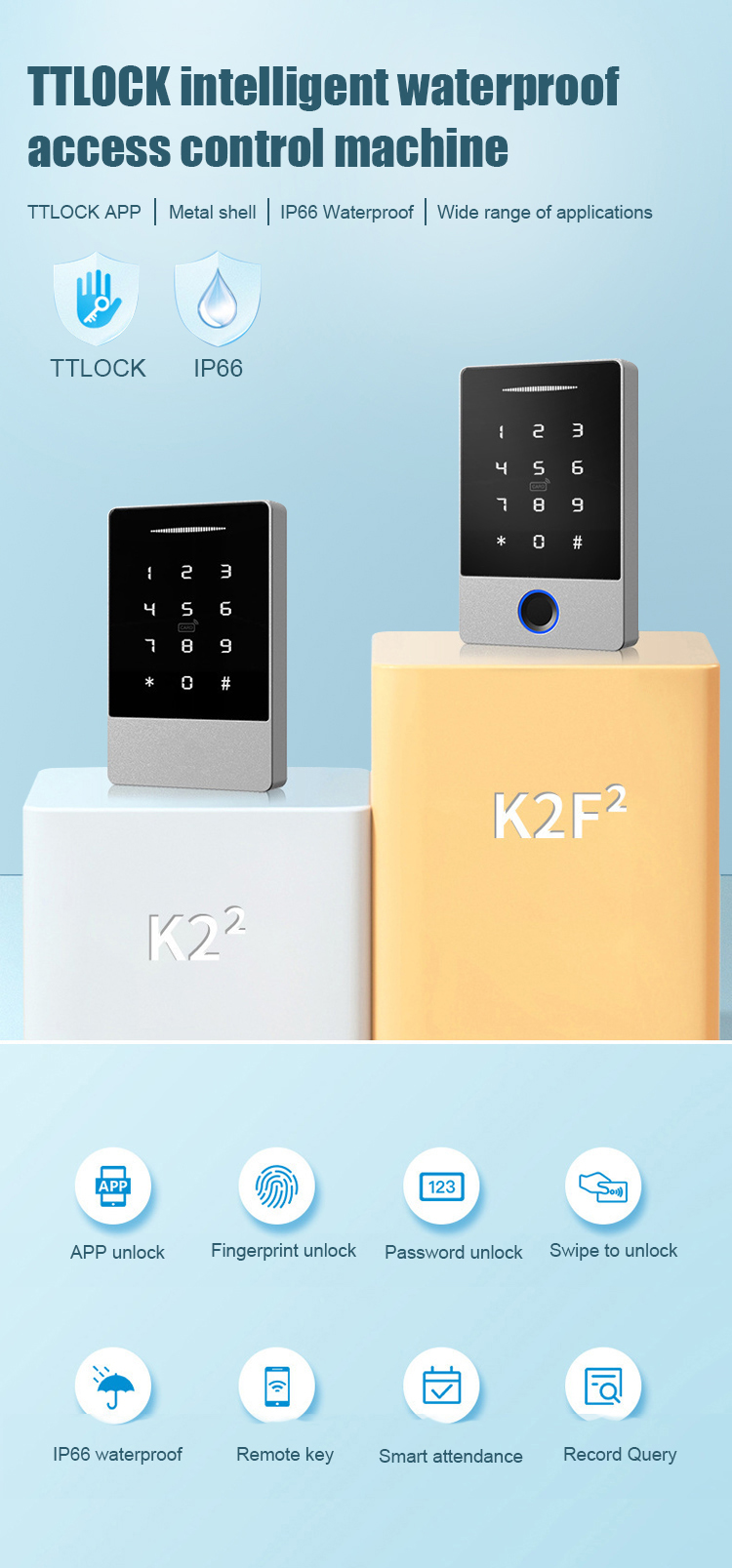
In the TTLock Fingerprint standalone access control system, you can add or delete user access permissions and set different access levels and time periods for different users in the following ways:


Adding and Deleting User Access Permissions

  1. Adding Users: Open the TTLock app and make sure your phone is connected to the lock via Bluetooth. Then, find the option "Add User" or "Manage Users" in the app. You can usually add users by entering their phone numbers or email addresses and sending them an invitation. The recipient can then register and set up their access methods, such as fingerprints, passwords, or cards, according to the prompts.

  2. Deleting Users: In the TTLock app, find the user list or management interface. Select the user you want to delete and click the "Delete" button. Confirm the deletion operation, and the user's access permissions will be revoked and their information removed from the system.


Setting Different Access Levels and Time Periods

  1. Setting Access Levels: Some TTLock models support different access levels, such as administrator, regular user, and temporary user. The administrator has the highest authority and can manage all lock settings and user permissions. Regular users have normal access rights, and temporary users may have limited access rights and time. You can usually set the access level of a user when adding the user or in the user management interface.

  2. Setting Time Periods: In the TTLock app, when adding a user or editing user permissions, look for the option "Set Time Period" or "Access Schedule". You can set a specific time range, such as a certain date and time period, for the user's access. For example, you can set a temporary user to only have access from 9:00 am to 5:00 pm on a certain day.


TTLock Fingerprint standalone access control


Author: Written by Ms.Anna Zhang from S4A INDUSTRIAL CO., LIMITED


S4A

In the TTLock Bluetooth Access Control system, you can change the password and other unlocking methods in the following ways:


TTLock Bluetooth Access Control

Changing the Password

  1. Using the TTLock App: Open the TTLock app and make sure your phone is connected to the lock via Bluetooth. Find the "Device Management" section in the app and select your lock, then tap "Reset Password" or "Change Password". Follow the prompts to enter the current password and then set a new password. Confirm the new password and save the settings.

  2. Using the Lock Keypad: Some TTLock models allow you to change the password directly on the lock keypad. Usually, you need to enter the current password first, then enter the setting mode, and find the option to change the password. Follow the on-screen prompts to enter the new password and confirm the change.


Changing Fingerprint Unlocking

  1. Adding a New Fingerprint: Open the TTLock app and connect to the lock via Bluetooth. Enter the user management interface and select the user for whom you want to add a fingerprint. Then, follow the prompts to place your finger on the fingerprint sensor of the lock multiple times until the fingerprint is successfully added.

  2. Deleting a Fingerprint: In the TTLock app, find the fingerprint management option in the user management interface. Select the fingerprint you want to delete and click the "Delete" button to remove the fingerprint.


 Changing RFID Card Unlocking

  1. Adding an RFID Card: Open the TTLock app and connect to the lock via Bluetooth. Enter the user management interface and select the user for whom you want to add an RFID card. Then, use the card reader of the lock to read the RFID card that needs to be added. The app will prompt you to complete the addition process.

  2. Deleting an RFID Card: In the TTLock app, find the RFID card management option in the user management interface. Select the RFID card you want to delete and click the "Delete" button to revoke the card's access permission.


Author: Written by Ms.Anna Zhang from S4A INDUSTRIAL CO., LIMITED

S4A