You have chosen your speakers, matched them with a capable amplifier, and set up your home theater. Yet something still sounds wrong. Bass is boomy in one seat and weak in another. Dialogue seems less clear than expected. Surround effects do not feel evenly balanced. In many rooms, the problem is not the equipment itself. It is the interaction between the speakers and the listening environment.
This is where room correction comes in. Room correction is a measurement-based process that adjusts audio playback to reduce some of the audible effects caused by room acoustics and speaker placement. Automatic EQ, often called Auto EQ or automatic room calibration, can make a real difference when it is used correctly.
But can auto EQ really fix your room? Not completely. It can compensate for certain frequency-response irregularities, adjust channel levels, and correct speaker distance or delay settings. It cannot physically remove a wall reflection, eliminate every standing wave, or turn a poorly positioned speaker into a perfectly placed one.
For home theater enthusiasts, Tonewinner offers several AV products with automatic acoustic measurement and calibration features. Its AT-600 takes this further by combining Tonewinner ETQ with Dirac Live technologies, including Room Correction, Bass Control, and ART. This guide explains what room correction actually does, where Auto EQ helps, and how to get more reliable results from a calibrated home theater system.
What Is Room Correction in a Home Theater?
Room correction is a process that measures how your audio system behaves in a particular listening environment and applies adjustments to improve playback at one or more listening positions.
A speaker does not sound exactly the same in every room. Sound waves travel through the space, reflect off walls and ceilings, interact with furniture, and combine with direct sound from the speakers. These interactions change the frequency response and timing that reach your ears.
For example, a subwoofer may produce a strong bass peak at one frequency because the room reinforces that frequency. At another seat, the same frequency may sound much weaker because of cancellation. The speaker itself has not changed; the room is influencing what you hear.
A room correction system typically uses a measurement microphone to capture test signals played through the speakers. The processor analyzes the measurements and applies digital adjustments to the audio signal.
Depending on the system, these adjustments may include:
- Frequency-response equalization to reduce excessive peaks or tonal imbalances.
- Channel level adjustment to balance the output of different speakers.
- Speaker distance and delay compensation to improve timing alignment.
- Subwoofer integration and bass management, depending on the correction platform.
- Manual EQ adjustments for users who want more control over the final sound.
The goal is not simply to make every frequency graph look flat. It is to achieve a more consistent and balanced listening experience while preserving the character of the speakers and the intended sound of the recording.
Why Does Your Room Change the Sound of Your Speakers?
Even high-quality speakers can sound different depending on where they are installed. This happens because a room is part of the audio system, not just a container for the equipment.
Three acoustic effects are particularly important in home theaters.
Room modes and standing waves: Low-frequency sound waves reflect between boundaries such as opposite walls, floors, and ceilings. At certain frequencies, these waves reinforce or cancel one another. This is one reason bass can sound powerful in one seat but noticeably weaker a short distance away.
Early reflections: Sound reflecting from nearby walls, floors, ceilings, and furniture can arrive shortly after the direct sound. These reflections may affect imaging, clarity, and the perceived tonal balance.
Reverberation: Sound energy continues to reflect around a room after the original signal has stopped. Excessive reverberation can make dialogue less intelligible and cause music or movie effects to sound less defined.
These problems are not always caused by expensive or inexpensive equipment. Room dimensions, construction materials, speaker positions, seating locations, and furniture all influence the result.
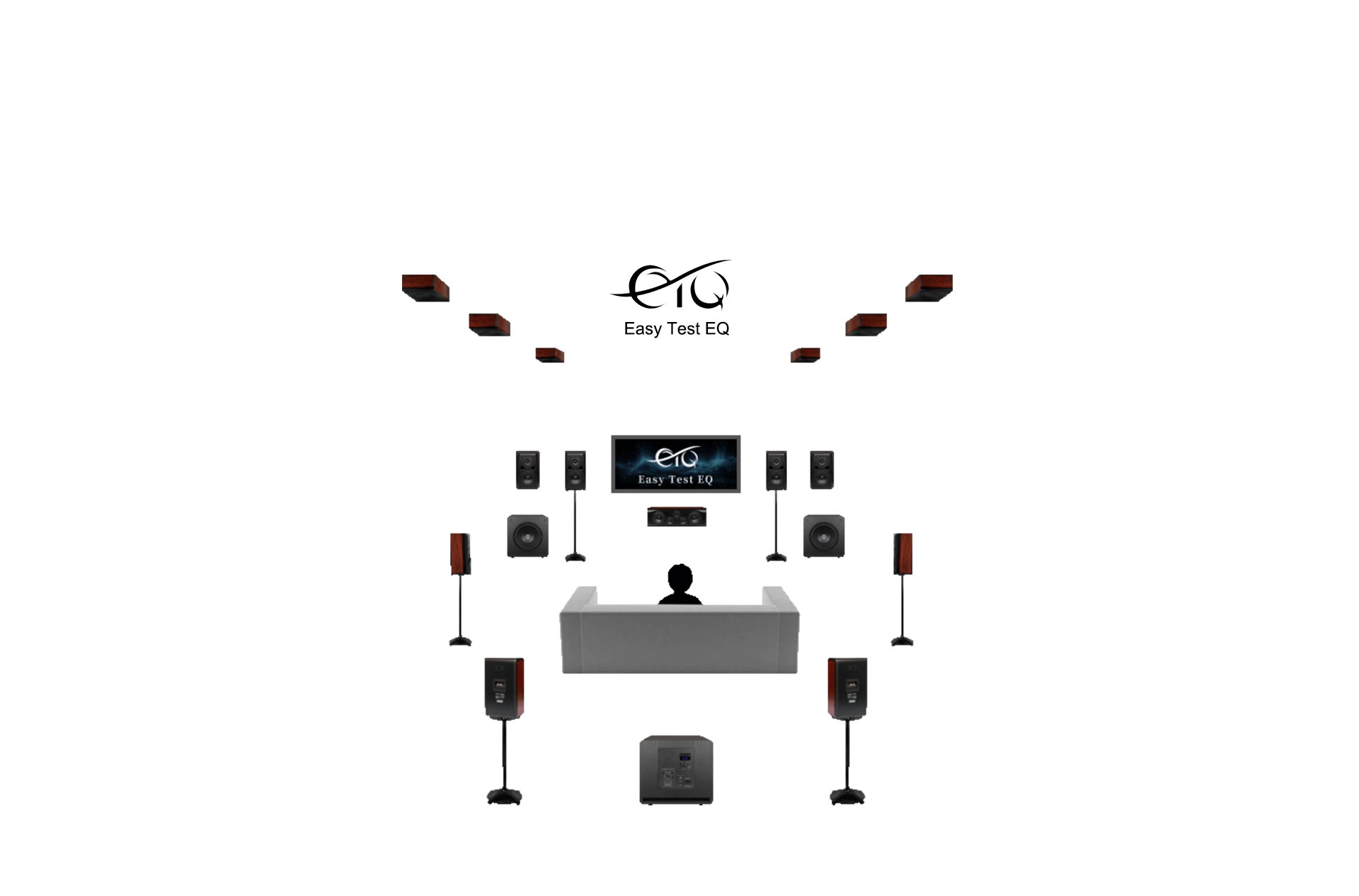
Room acoustic calibration considers the interaction between speakers, subwoofers, and the listening environment.
How Does Automatic Room EQ Work?
Automatic room EQ generally follows a measurement, analysis, and correction process. The exact procedure varies by processor and calibration platform, but the basic idea is similar.
First, the system plays test signals. The AV processor sends test tones or measurement signals through individual speakers. A measurement microphone captures the sound at the listening position.
Next, the processor analyzes the measurements. It evaluates the response received by the microphone and identifies areas that may need adjustment. Depending on the system, it may also estimate speaker levels, distances, timing differences, and subwoofer integration.
Then, correction filters are created. The processor applies digital filters to adjust the playback signal. For example, it may reduce an excessive bass peak or adjust a channel's level to better match the rest of the system.
Finally, you listen and verify the result. Automatic calibration provides a starting point, not a guarantee that every setting is ideal. Listening tests and, when available, manual adjustments help determine whether the result is suitable for your room and preferences.
In a multichannel system, this process is especially useful because each speaker may have a different position and acoustic relationship with the room. A processor with independent channel adjustment can help bring the system together more consistently.
Can Auto EQ Really Fix Your Room?
Auto EQ can improve the sound of a home theater, but it cannot fix every acoustic problem. Understanding the difference is important before relying on automatic calibration.
What Auto EQ can often improve:
- Broad frequency-response peaks and dips that can be addressed with suitable filters.
- Uneven channel levels caused by differences in speaker sensitivity or distance.
- Timing differences between speakers through distance and delay adjustments.
- Some subwoofer integration issues when the processor supports appropriate bass management or bass correction features.
- Differences in tonal balance between channels at the measured listening positions.
What Auto EQ cannot fully fix:
- Deep acoustic nulls caused by cancellation, which may not respond safely or effectively to large EQ boosts.
- Long reverberation caused by highly reflective walls, ceilings, and floors.
- Poor speaker placement or an unsuitable listening position.
- Physical rattles, loose furniture, and unwanted mechanical noise.
- Insufficient speaker or subwoofer capability.
For example, if your subwoofer creates a strong bass peak at the main listening seat, EQ may reduce that peak. But if the same frequency is cancelled at another seat, boosting it may not solve the problem and could reduce system headroom.
This is why room correction should be treated as one part of system setup. Speaker placement, subwoofer positioning, acoustic treatment, and sensible listening-seat selection remain important.
Tonewinner ETQ: Automatic Acoustic Calibration for Home Theater
Tonewinner's Easy Test EQ, known as ETQ, is its automatic acoustic measurement and calibration system. It is designed to make room calibration more accessible to home theater users by measuring the system and applying automatic adjustments.
The purpose of ETQ is to help compensate for differences in room acoustics and speaker installation. The calibration process can address spectral characteristics, channel loudness, and speaker distances, helping users establish a more balanced starting point.
ETQ is particularly relevant to multichannel systems, where the front, center, surround, height, and subwoofer channels may be installed at different distances and interact with the room in different ways.
For users who want to explore Tonewinner's calibration approach, the Tonewinner Easy Test EQ technology page provides additional information about the system.
Automatic measurement does not mean that users lose control. The final sound should still be checked with familiar music and movie content. If the result is too bright, too restrained, or otherwise inconsistent with your preferences, use the adjustment options supported by your processor.
Tonewinner AT-600: ETQ and Dirac Live in One Processor
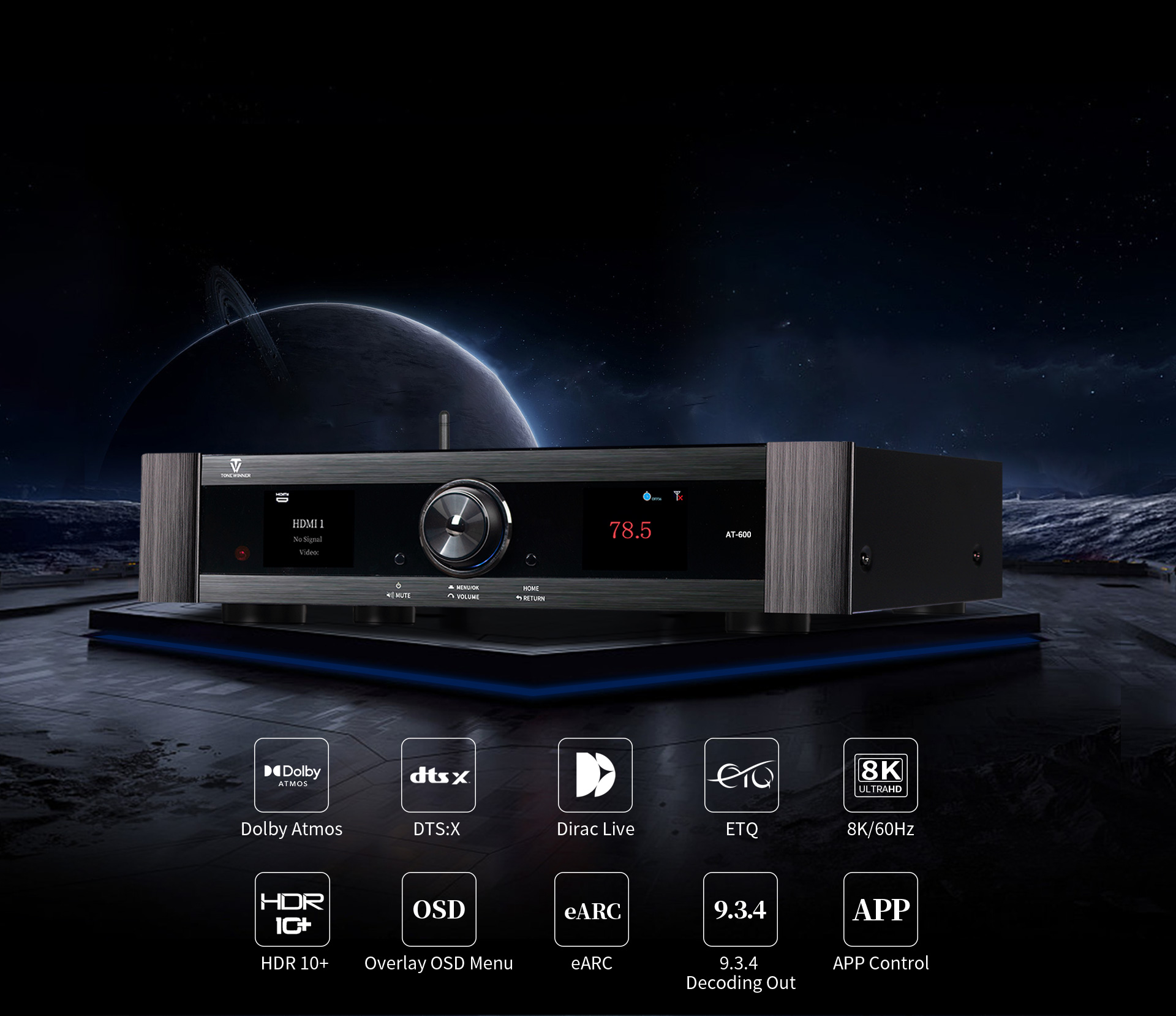
Tonewinner AT-600 8K AV processor with Dirac Live and ETQ
For users who want more advanced room correction options, the Tonewinner AT-600 8K processor is the key model to consider.
The AT-600 combines two acoustic calibration approaches: Tonewinner ETQ and Dirac Live. According to the official product information, it supports the full Dirac Live technology suite, including Room Correction, Bass Control, and Active Room Treatment (ART).
This combination gives users different tools for addressing room-related audio issues:
- Tonewinner ETQ: Automatic acoustic measurement and calibration designed to compensate for spectral characteristics, channel loudness, and speaker distances.
- Dirac Live Room Correction: Digital room correction designed to improve the measured response and timing behavior of the audio system.
- Dirac Live Bass Control: A bass-management technology designed to improve integration between subwoofers and the main speaker system.
- Dirac Live ART: Active Room Treatment technology designed to manage low-frequency room behavior through coordinated speaker and subwoofer operation.
The AT-600 also supports independent outputs for three subwoofers and offers advanced speaker configurations for immersive home theater installations. Its on-screen interface provides automatic and manual multiband parametric EQ adjustments, giving experienced users more control over individual channels.
One important purchasing detail: Tonewinner's official AT-600 product information states that the full Dirac Live license is included, while a dedicated test microphone must be purchased separately to use the full premium Dirac features. The microphone supplied for ETQ should not be assumed to be a substitute for a Dirac-certified measurement microphone. Check the current AT-600 software update and ART calibration guide for the applicable microphone and software requirements.
For a buyer planning a high-channel-count cinema system, the AT-600 is more than an AV decoder. Its room correction, bass management, and flexible channel configuration make it a central part of the system's acoustic setup.
How Do AT-600, AT-3000, and AT-2900 Compare for Room Correction?
Not every home theater needs the same level of processing. Tonewinner's promoted models offer different approaches, so it is useful to compare their published calibration features before choosing.
| Model | Product Type | Published Calibration Features | Best Fit to Consider |
|---|---|---|---|
| AT-600 | 8K AV processor | ETQ, Dirac Live Room Correction, Bass Control, and ART | Advanced immersive cinema systems requiring extensive room and bass management options. |
| AT-3000 | 11-channel AV receiver | Automatic room EQ testing and compensation for speaker distance, delay, and sound pressure; manual adjustment supported. | Users who want an integrated AV receiver with automatic calibration and built-in amplification. |
| AT-2900 | 9-channel AV receiver | Automatic acoustic test and room calibration, as listed in the official product information. | Users building a multichannel home theater around an integrated AV receiver. |
The AT-600 is the model in this comparison with the most extensive published room correction feature set. The AT-3000 and AT-2900 also offer automatic acoustic testing and calibration, but their published feature descriptions should not be interpreted as including the full Dirac Live suite available on the AT-600.
For more options, visit Tonewinner's Dolby Atmos processor category and compare the processing capabilities with the number of channels, amplifier requirements, and installation plans for your room.
Why Bass Correction Is Especially Important
Low frequencies are often the most difficult part of a home theater to get right. Bass waves are strongly affected by room dimensions and boundaries, so subwoofer performance can change significantly from one listening position to another.
A system may sound powerful near one wall but weak in the main seating area. Moving the subwoofer a short distance can sometimes change the result more than adjusting the volume control.
Basic room EQ can reduce some bass peaks, but advanced bass management can go further by considering how multiple subwoofers and main speakers work together.
This is why Dirac Live Bass Control and ART are relevant features on the AT-600. They are designed for more advanced management of low-frequency behavior, rather than simply increasing or decreasing the subwoofer level.
For systems using a dedicated powered subwoofer, correct placement and integration remain important. Tonewinner's SW-D4000 powered subwoofer is one product to consider when planning a system that needs dedicated low-frequency reproduction. A subwoofer's own DSP and EQ controls can complement system-level bass management, but the settings should be coordinated rather than adjusted independently without measurement.
How to Get Better Results from Automatic Room Calibration
Even a capable room correction system depends on accurate measurements. A few simple setup practices can make the calibration process more reliable.
Use the correct measurement microphone. Follow the processor manufacturer's instructions and use the microphone specified for the calibration platform. Microphone compatibility matters, especially when a product supports more than one correction system.
Place the microphone at ear height. The main measurement should represent the actual listening position. A microphone placed too high, too low, or too close to a reflective surface may produce measurements that do not represent normal listening conditions.
Measure the seating area, not just one convenient spot. If the calibration system supports multiple measurement positions, use the recommended pattern around the main listening area. This helps the system account for more than one exact microphone location.
Keep the room in its normal listening condition. Leave large furniture and other important room features where they are normally used. Avoid moving objects between calibration and everyday listening.
Check speaker configuration and crossover settings. Confirm that the processor recognizes the correct speaker layout, channel assignments, and subwoofer connections. Incorrect configuration can undermine otherwise accurate measurements.
Listen after calibration. Use familiar dialogue, music, and movie scenes. Check whether dialogue is clear, bass is controlled, and surround effects blend naturally. A measurement result should support good listening, not replace it.
Does Room Correction Replace Acoustic Treatment?
No. Room correction and acoustic treatment solve different parts of the same problem.
Room correction changes the electrical audio signal before it reaches the speakers. Acoustic treatment changes how sound behaves inside the physical room.
For example, EQ may reduce a bass peak caused by a room mode, but it cannot remove the underlying reflection between two walls. Similarly, a digital filter cannot stop a hard ceiling from reflecting sound toward the listening position.
Depending on the room, practical improvements may include:
- Moving speakers away from problematic wall positions.
- Testing different subwoofer locations before running calibration.
- Using suitable bass traps to address low-frequency energy buildup.
- Adding absorption at selected early-reflection points.
- Using rugs, curtains, or other furnishings where appropriate to manage excessive high-frequency reflections.
You do not necessarily need a professionally treated cinema room to benefit from room correction. However, combining sensible placement, basic acoustic improvements, and automatic calibration usually provides a more reliable path than expecting EQ to solve every problem by itself.
Is Dirac Live Worth Considering for a Home Theater?
Dirac Live is worth considering if you want a more advanced approach to room correction, particularly in a multichannel system where speaker timing, tonal balance, and bass integration are important.
Its usefulness depends on the room, speaker layout, subwoofer arrangement, measurement process, and the features supported by the specific processor. It is not a universal solution that guarantees perfect sound in every installation.
The AT-600 is particularly relevant for users who want to explore Dirac Live Room Correction, Bass Control, and ART in one AV processor. It also retains Tonewinner's ETQ calibration system, giving users another automatic calibration option.
If your system is smaller or you prefer an integrated AV receiver, the AT-3000 and AT-2900 may also be worth evaluating. Their automatic acoustic testing features can help simplify setup, although their published room correction capabilities differ from the AT-600.
The right choice depends on how much control you need, how many channels your system uses, whether you plan to integrate multiple subwoofers, and how much time you want to spend on calibration.
Final Verdict: Auto EQ Helps, but It Cannot Rewrite the Room
Room correction is one of the most useful tools available for improving a modern home theater. It can help reduce frequency-response irregularities, balance channel levels, align speaker timing, and improve the integration of speakers and subwoofers.
But automatic EQ is not a substitute for good room design. It cannot eliminate every reflection, repair a deep cancellation null, or compensate for every speaker placement problem. The best results come from combining accurate measurements with sensible positioning, suitable acoustic treatment, and careful listening.
For Tonewinner users, the AT-600 stands out as the most advanced option in the promoted lineup for room correction, combining ETQ with Dirac Live Room Correction, Bass Control, and ART. The AT-3000 and AT-2900 offer automatic acoustic calibration features in integrated AV receiver designs for different system requirements.
In the end, the purpose of room correction is not to make your room disappear. It is to help your speakers and subwoofers work more effectively in the room you actually have.
Frequently Asked Questions
What is room correction in audio?
Room correction is a measurement-based process that adjusts audio playback to compensate for some of the effects caused by room acoustics and speaker placement. Depending on the system, it can adjust frequency response, channel levels, speaker distances, timing, and subwoofer integration.
Can automatic EQ really fix a bad-sounding room?
Automatic EQ can improve certain frequency-response problems and help balance a speaker system, but it cannot physically remove reflections, eliminate all standing waves, or correct every deep acoustic cancellation. Speaker placement and acoustic treatment may still be necessary.
What is the difference between room correction and equalization?
Equalization changes the level of selected frequency ranges. Room correction is a broader measurement-based process that may use EQ along with channel level, distance, delay, and bass-management adjustments to improve system performance in a listening environment.
What is Tonewinner ETQ?
Tonewinner Easy Test EQ, or ETQ, is an automatic acoustic measurement and calibration system. It is designed to compensate for room-related spectral characteristics, channel loudness, and speaker distances in a home theater system.
Does the Tonewinner AT-600 support Dirac Live?
Yes. The Tonewinner AT-600 supports Dirac Live Room Correction, Dirac Live Bass Control, and Dirac Live ART. It also integrates Tonewinner ETQ automatic sound calibration. The dedicated test microphone required for full Dirac features must be purchased separately according to the official product information.
Does the Tonewinner AT-3000 have automatic room calibration?
Yes. The AT-3000 supports automatic testing and compensation for room EQ, speaker distance, delay, and sound pressure. It also supports manual adjustment. Its published feature set should not be confused with the full Dirac Live suite supported by the AT-600.
Can room correction improve subwoofer bass?
Yes. Room correction can reduce certain bass peaks and improve the integration of a subwoofer with the main speakers. More advanced bass-management systems can coordinate multiple subwoofers and speaker channels. However, deep cancellation nulls and poor subwoofer placement may require physical changes rather than EQ alone.
Should I use acoustic panels if my AV processor has Auto EQ?
Possibly. Auto EQ and acoustic treatment address different issues. EQ adjusts the audio signal, while acoustic panels and bass traps change sound reflections and energy buildup in the room. Combining both approaches can produce more consistent results.